Profiles and devices explained
Learn where your calculator entries are saved, what a profile is and how your data stays the same on all your devices.
💾 Where are your entries saved?
👤 Without an account
Everything stays in this browser only. Another device or another browser has none of it. If you clear your browser data, it is gone.
☁️ With an account
Everything is stored in your account. A change is uploaded after about 30 seconds, or right away when you close or switch the tab. Your other devices get the new data when you open a page there.
🎮 What is a profile?
A profile is one game account. Each profile has its own server, its own faction and its own calculator data. This way you can plan your main account and your farms separately. Every account starts with the profile Standard. You can have up to 10 profiles.
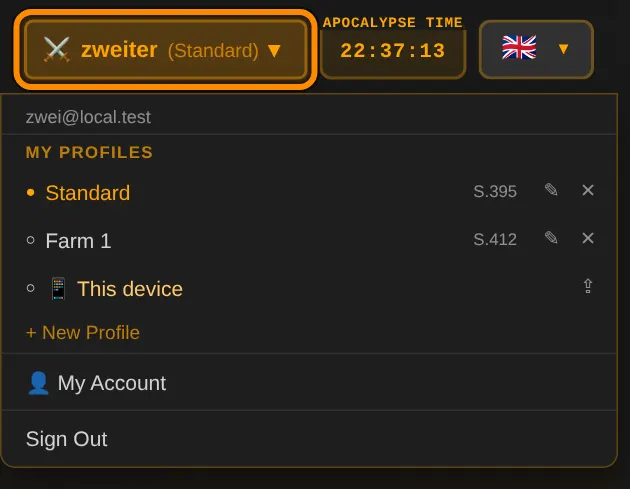
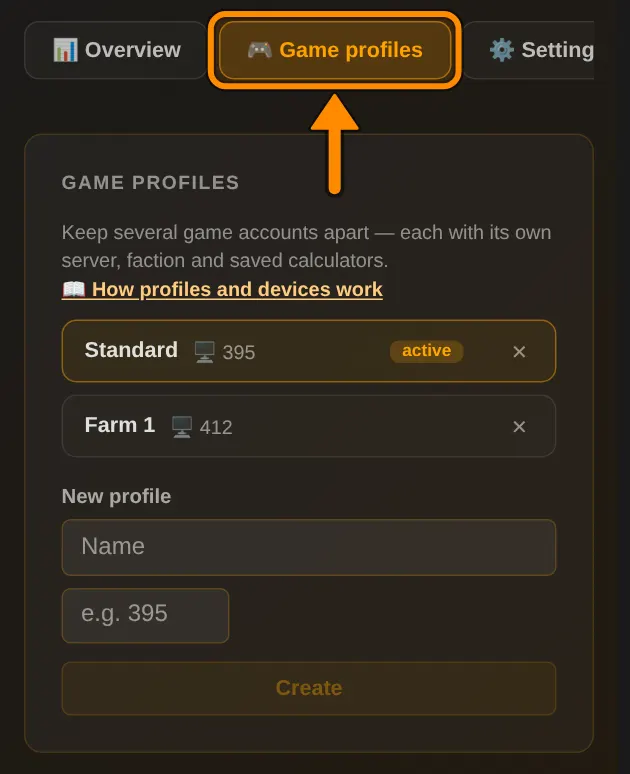
What is 📱 This device?
If you enter something while you are not logged in, it is saved in this browser only. This also happens when your login had expired. After logging in it shows up as a separate profile 📱 This device.
It is never moved into your account on its own, on purpose. Otherwise it could overwrite better data in your account. You decide what happens with it.
⚠️ Important: as long as 📱 This device is selected as the active profile at the top, everything you enter stays on this device only. Switch to your account profile at the top so it gets saved.
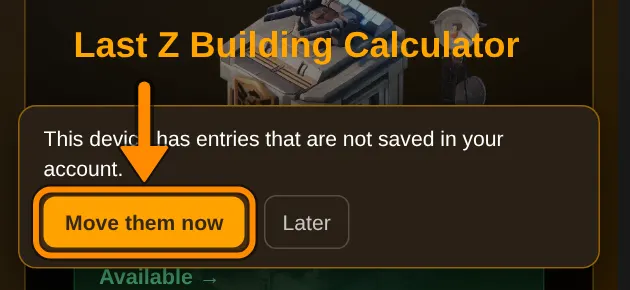
How to move 📱 This device into your account
- 1Open your profile page. In the 📱 This device box, under Move into existing profile, choose your profile, for example Standard, and tap Next.
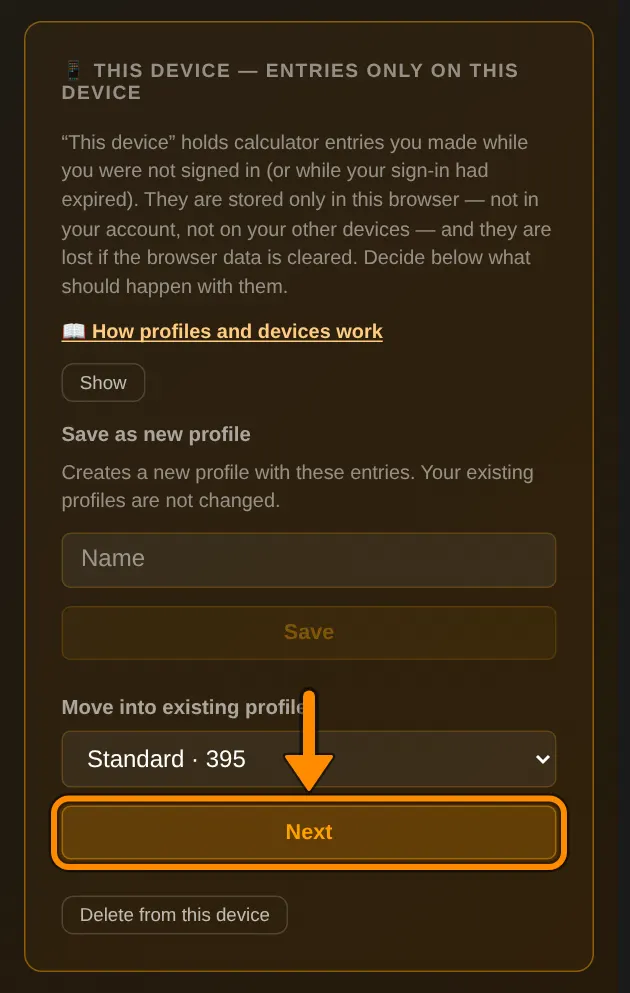
- 2Now you see what happens for each calculator. added: the calculator is not in your account yet. replaced: the data in your account is replaced with the data from this device. newer shows which version is more recent.
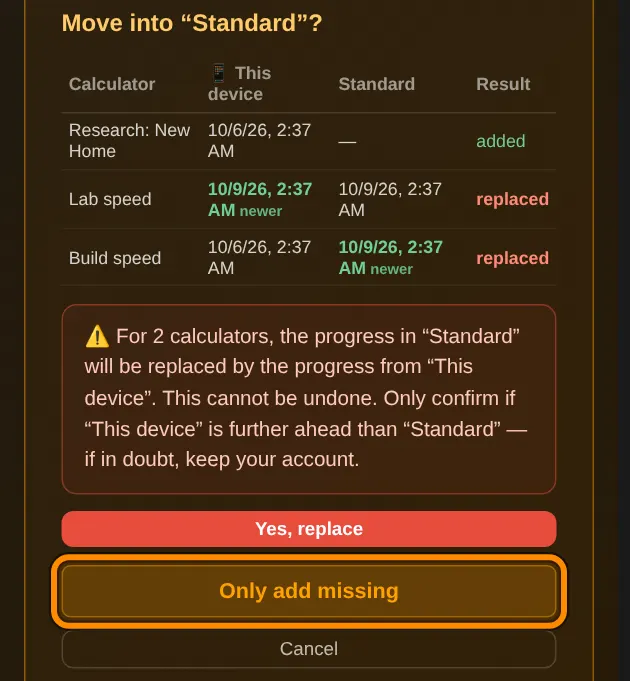
- 3Decide: Yes, replace moves everything. Only add missing only moves calculators that are missing in your account and leaves the rest of your account as it is. Afterwards 📱 This device is empty and disappears.
💡 Other options in the same box: Save as new profile turns the entries into a new profile. Delete from this device throws them away, your account stays unchanged.
📱💻 Make phone, PC and laptop the same
- 1Pick the device with the most or newest entries. Move 📱 This device into your profile there and confirm with Yes, replace.
- 2On every other device do the same, but with Only add missing. If that button is missing because all calculators are already in your account, use Delete from this device.
- 3Done. From now on all devices use the same profile and stay in sync on their own.
⚠️ A whole calculator is always replaced, never single values. If you filled in the same calculator differently on two devices, only one of them is kept. Enter the other one again once by hand.
❓ Frequently asked questions
Why does my phone show different values than my PC?
Usually 📱 This device is still active on one of the devices. Whatever you enter there stays in that browser only. Switch to your account profile at the top and move the entries as described above.
Is my data gone if I clear my browser data?
Not what is in your account. After logging in, everything is back. Only entries from 📱 This device are gone.
How fast does a change reach my other devices?
It is uploaded after about 30 seconds without input, or right away when you close or switch the tab. Your other devices get it when you open a page, at the latest after 5 minutes. Reloading always helps.