Install Wild Hoggs as an app
With an icon on your home screen, Wild Hoggs opens like an app. No address bar, no app store, free. New content arrives on its own.
✅ You are already using Wild Hoggs as an app.
iPhone and iPad
- 1Step 1Open wild-hoggs.com in Safari. Tap the three dots at the bottom right.
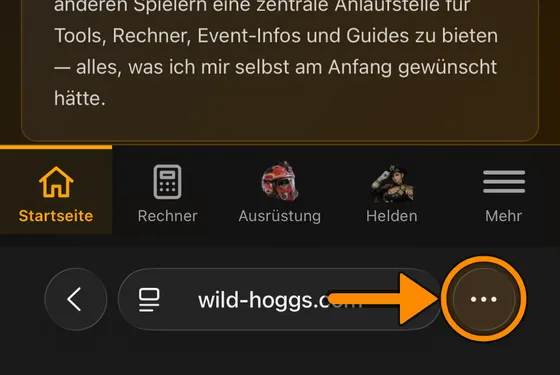
- 2Step 2Tap “Share”.
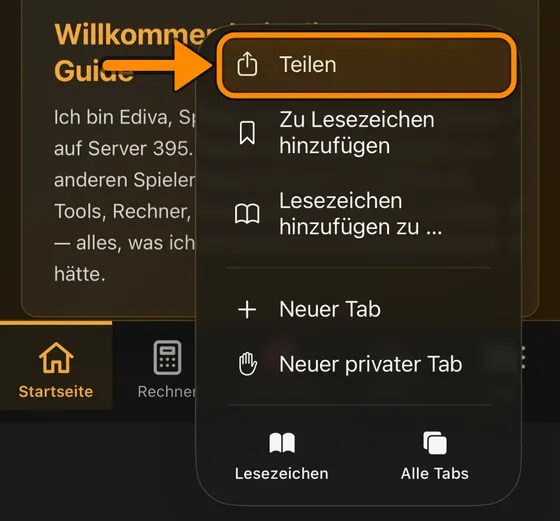
- 3Step 3Tap “View More”.
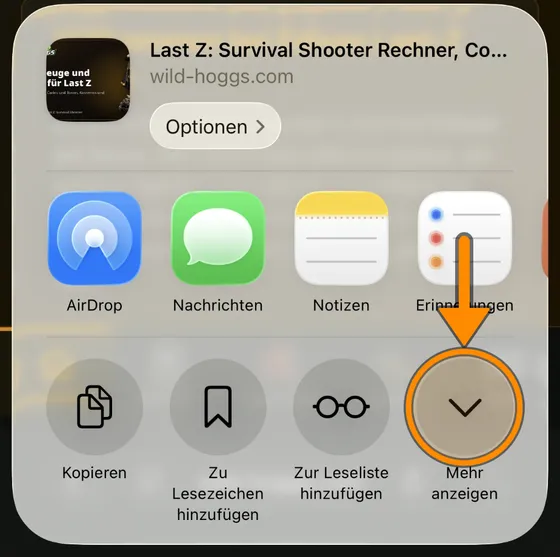
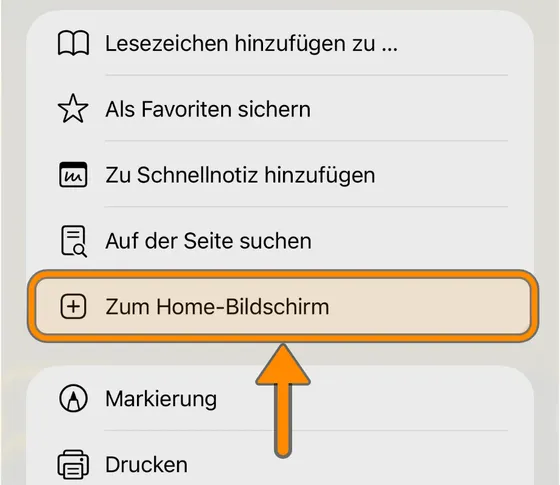
- 4Step 4Tap “Add to Home Screen”.
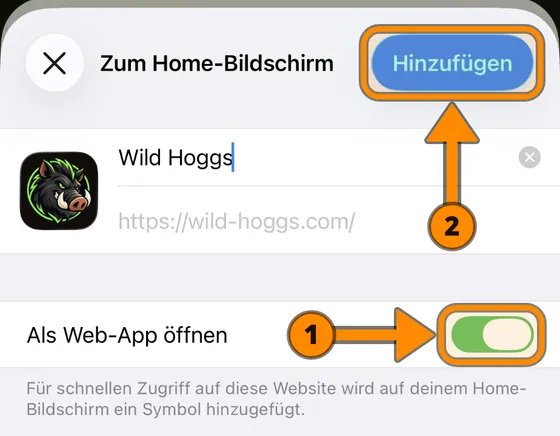
- 5Step 5Keep “Open as Web App” on (1). Then tap “Add” (2).
💡 Older iPhones: the Share icon sits directly in the bottom bar. If “Add to Home Screen” is missing, tap “Edit Actions” at the very bottom and add it.
🎉 Done! Wild Hoggs now starts like an app.
Android
One tap is enough. Your browser asks once more.
- 1Step 1Open wild-hoggs.com in Chrome. Tap the three dots ⋮ at the top right.
- 2Step 2Tap “Add to Home screen” or “Install app”.
- 3Step 3Tap “Install”. The icon appears on your home screen.
💡 Samsung Internet: tap ☰ at the bottom right, then “Add page to” and “Home screen”.
🎉 Done! Wild Hoggs now starts like an app.
On a computer
In Chrome and Edge, click the “Install” icon on the right of the address bar. Wild Hoggs then opens in its own window.